Mobile App
Your mosque's prayer times on your phone or tablet. Follow one or more mosques, get a reminder before every jamaat, and keep the Qur'an, du'as, adhkar, a tasbeeh and a prayer tracker in one place — all offline-ready. For members of the congregation.
This is the HayyalaSalah app for Android phones and tablets, used by worshippers. The screens on the mosque walls are covered in Guide 06 (Raspberry Pi and Linux) and Guide 08 (Android TV). The times the app shows are the ones your mosque publishes in its admin account.
Getting started
Find your mosque once; the app remembers it and keeps its times up to date.
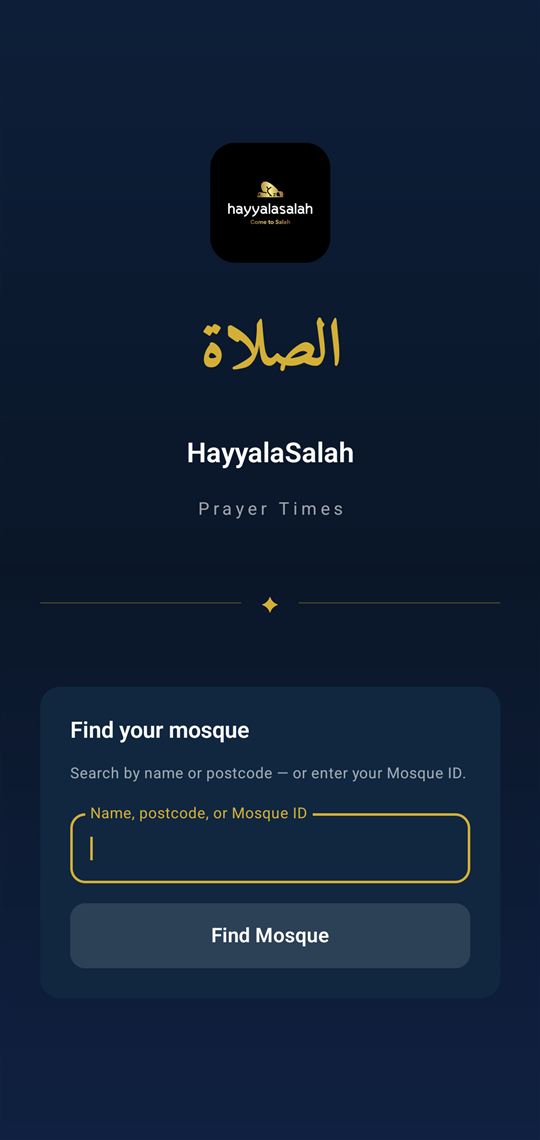
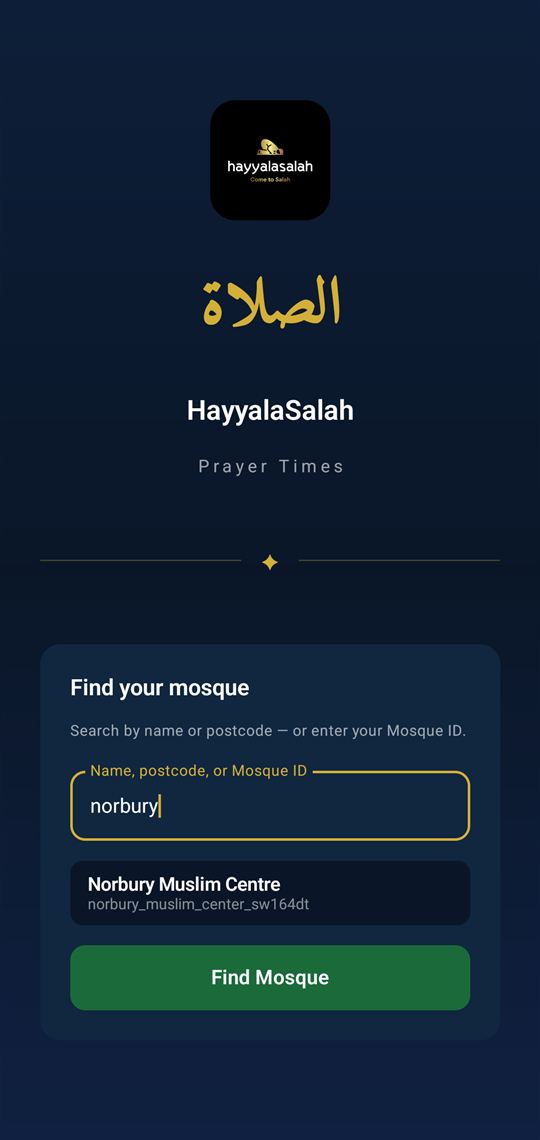
Find your mosque
Search by name or postcode, or type your mosque's Mosque ID (MSQ-…). Tap the match, and confirm it is the right mosque.
Connect
The app downloads that mosque's prayer times and opens the main screen. From here everything else is a tap away.
Add more mosques if you like
Tap + Add on the main screen to follow several mosques and switch between them with the chips at the top.
The main screen
Today's times at a glance, with a live countdown to the next jamaat.
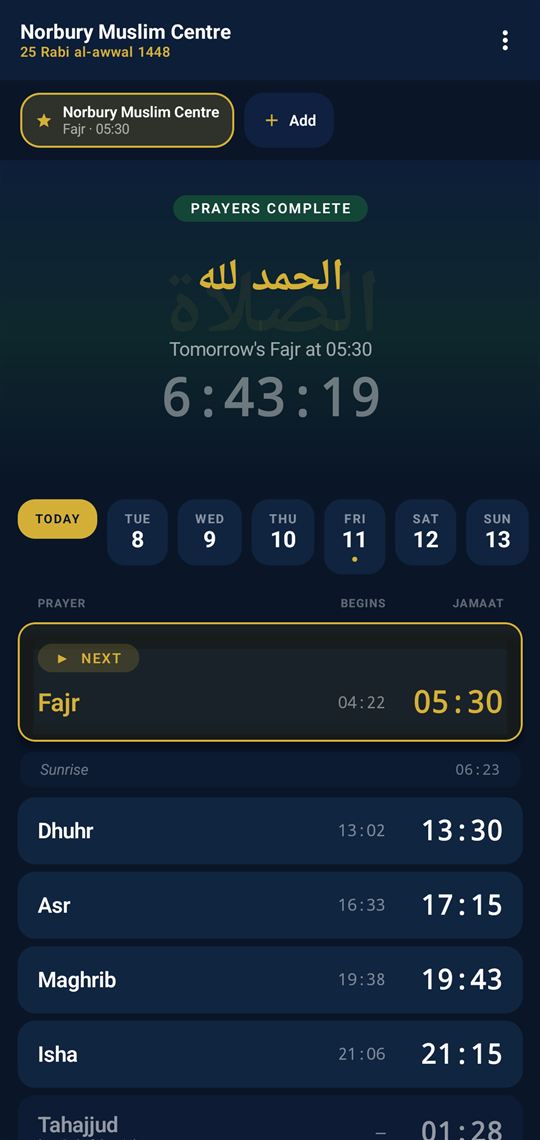
- Mosques — your mosque chips. The starred one is primary. Tap + Add to follow more and switch between them.
- Countdown — the next jamaat, live. Once all of today's prayers are done it counts down to tomorrow's Fajr.
- Week — tap Today or any weekday to see that day's begin and jamaat times.
- Table — Begins and Jamaat for every prayer, with the next one highlighted, plus Sunrise and Tahajjud.
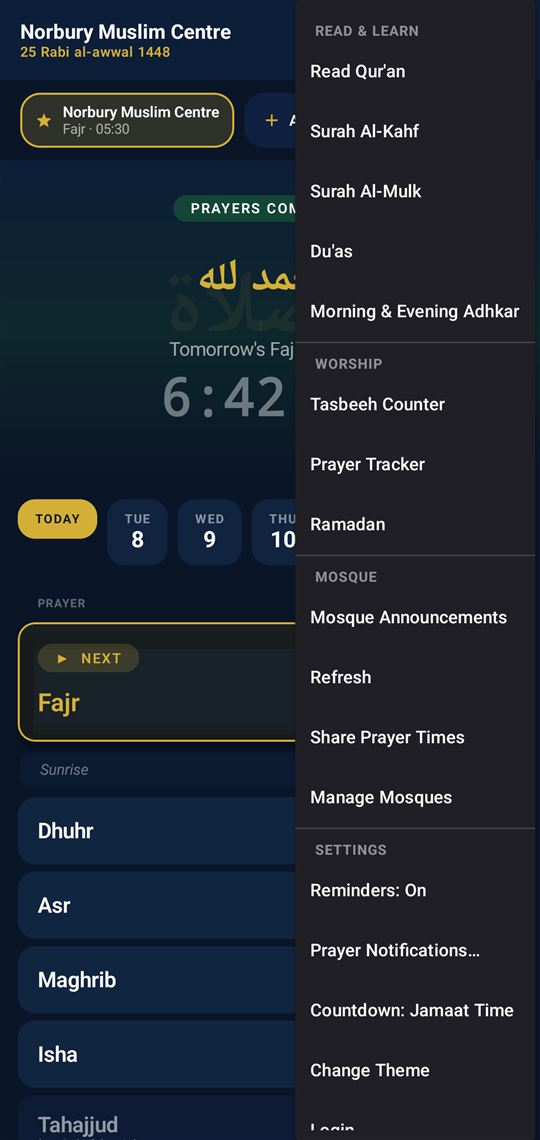
- ⋮ Menu — everything else: the Qur'an, du'as, tasbeeh, tracker, themes and settings.
Pull down to refresh the times, and scroll below the table for a daily Name of Allah, hadith, du'a and "on this day". Mosque announcements and janazah notices appear here too when the mosque posts them.
Everything the app does
The ⋮ menu gathers the app's tools under four headings. Here is every item.
Read & Learn
| Item | What it does |
|---|---|
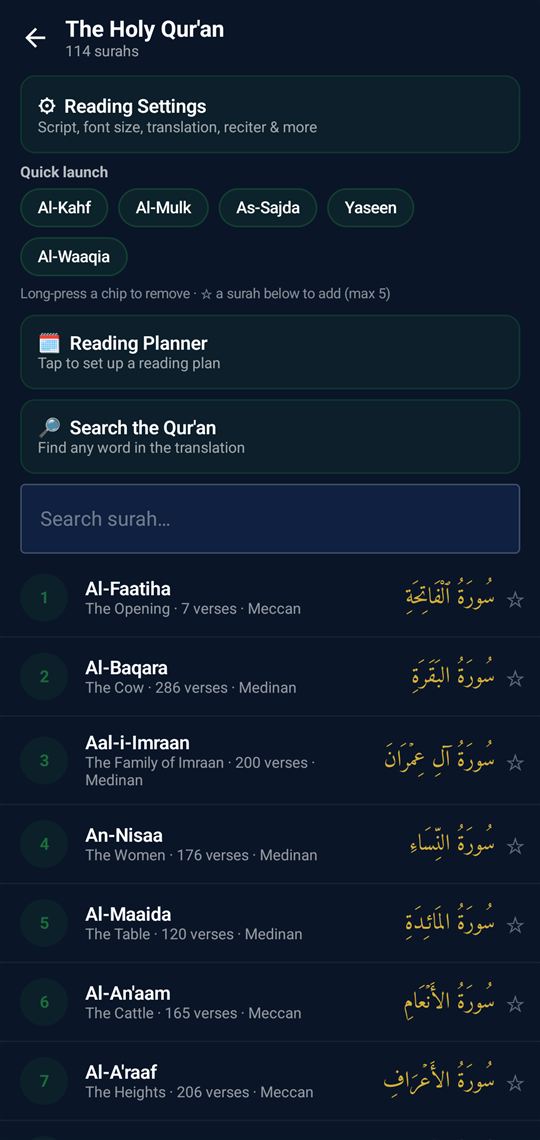
| Read Qur'an | The full mus'haf — 114 surahs with translation, an adjustable script and font size, a reciter, search, and a reading planner. |
| Surah Al-Kahf · Al-Mulk | One-tap shortcuts to the surahs many read on Friday and at night. |
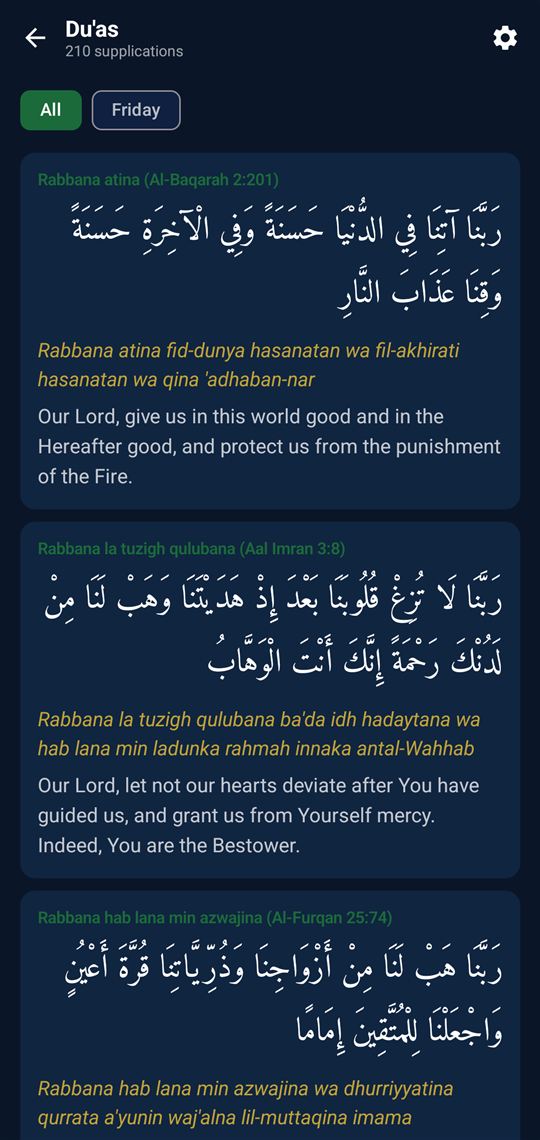
| Du'as | A collection of supplications with Arabic, transliteration and translation — filterable, for example by Friday. |
| Morning & Evening Adhkar | The daily remembrances with a built-in repeat counter. |
Worship
| Item | What it does |
|---|---|
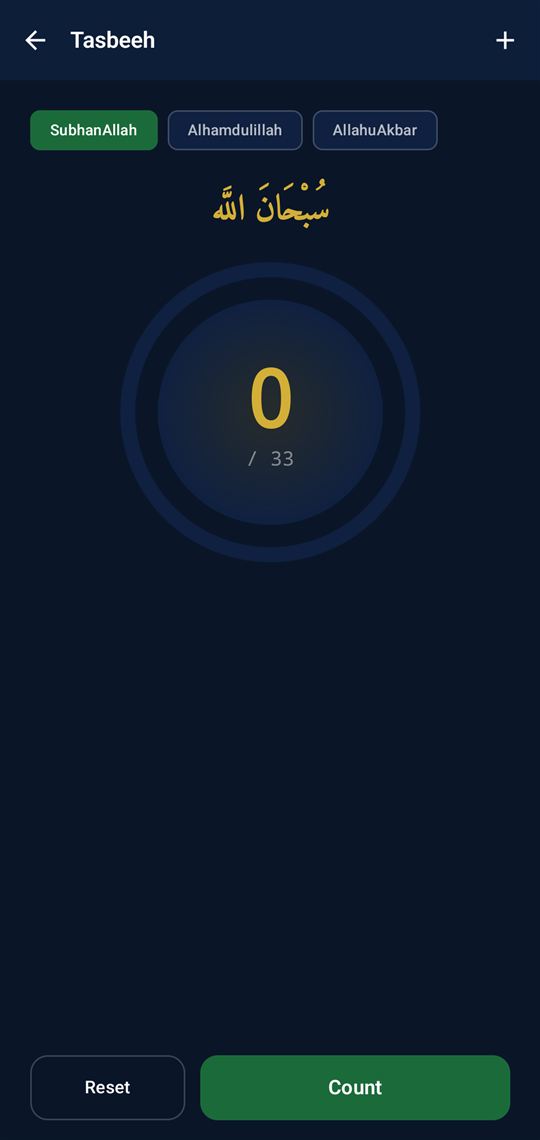
| Tasbeeh Counter | A digital counter — SubhanAllah, Alhamdulillah, Allahu Akbar — that remembers your count. |
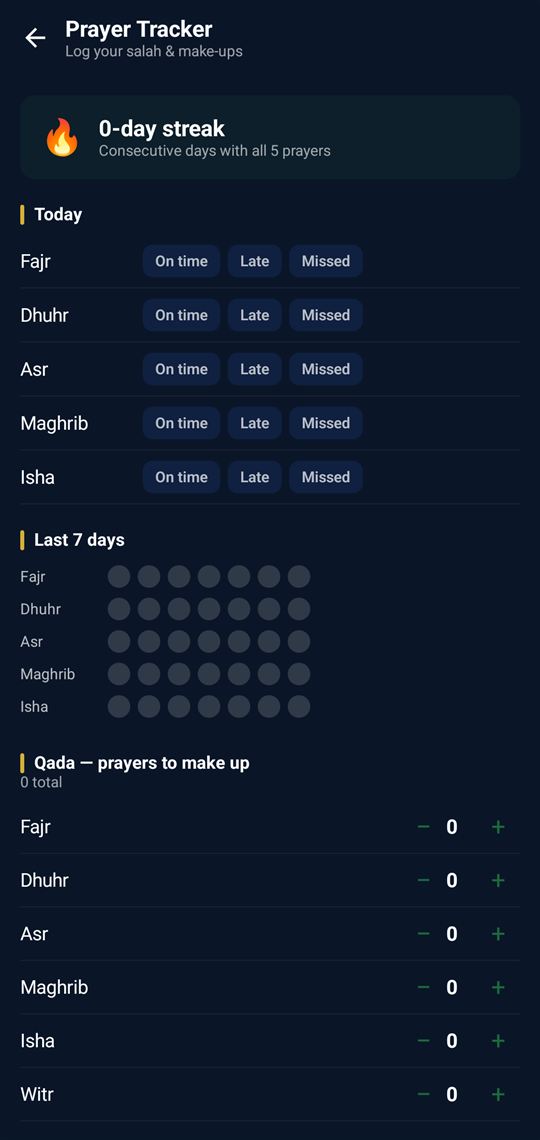
| Prayer Tracker | Log each salah as On time, Late or Missed, keep a streak, see the last 7 days, and track qada (make-up) prayers. |
| Ramadan | Suhoor and Iftar times and a fasting companion for the month. |
Mosque
| Item | What it does |
|---|---|
| Manage Mosques | Add, remove or re-order the mosques you follow, and set which is primary. |
| Mosque Announcements | Notices the mosque posts — events, janazah, general updates. |
| Refresh | Pulls the latest prayer times and content now. |
| Share Prayer Times | Send today's times to family or a group chat. |
Settings
| Item | What it does |
|---|---|
| Reminders: On / Off | Master switch for the pre-prayer reminders. |
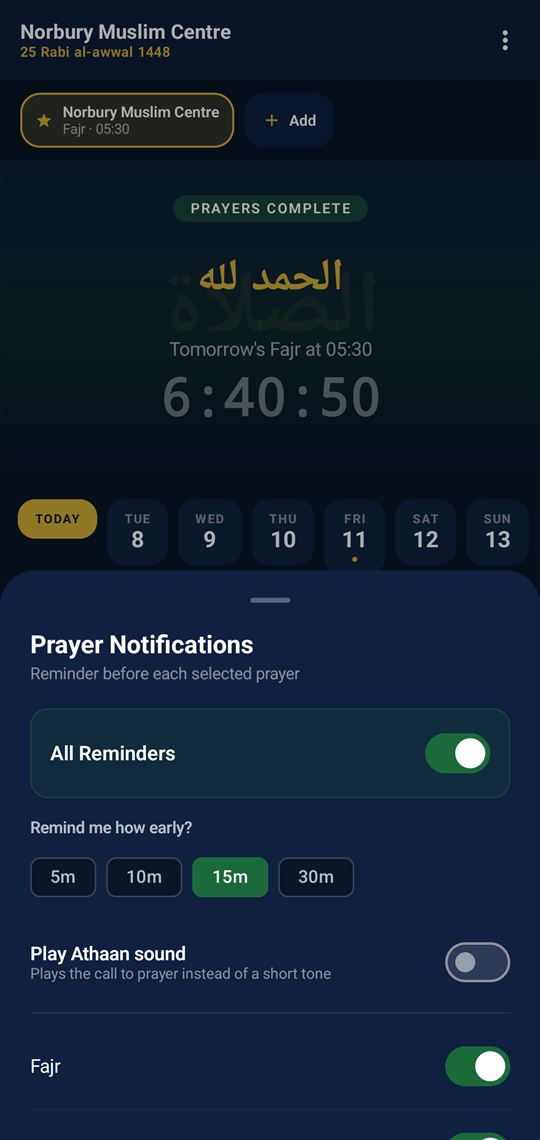
| Prayer Notifications… | Choose how early to be reminded, turn the athaan sound on, and pick which prayers notify. |
| Countdown: Jamaat / Begins | Whether the main countdown targets the jamaat time or the begins time. |
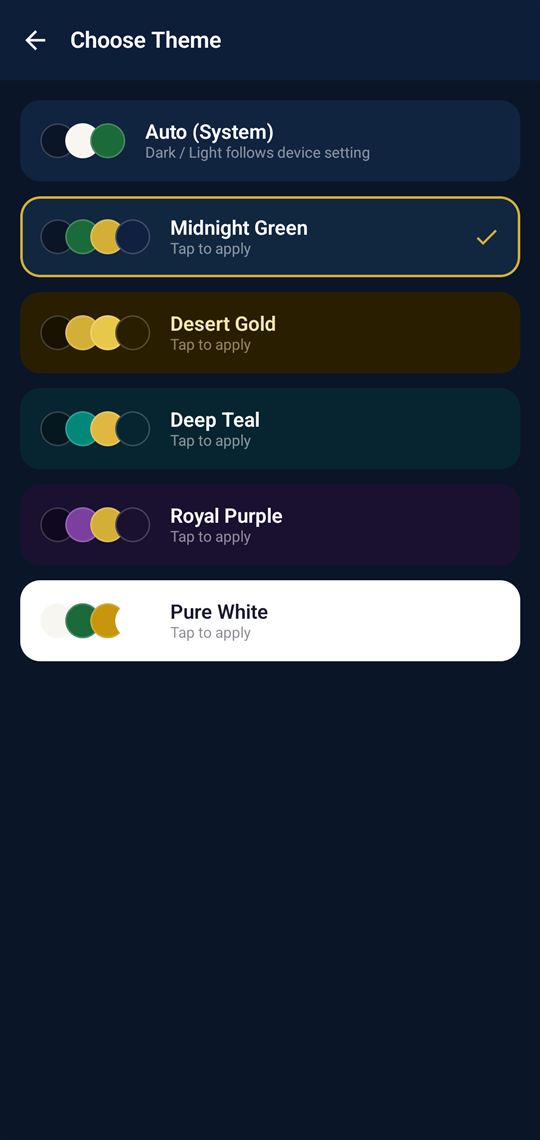
| Change Theme | Pick a colour theme, or follow the system setting. |
| Login | Change the mosque this device is set up with. |
A closer look
The features people use most.
Reminders and widgets
The app keeps you on time even when it is closed.
- Notifications — a reminder before each prayer you enable, at your chosen lead time of 5, 10, 15 or 30 minutes. Turn on Play Athaan sound for the call to prayer instead of a short tone. On Fridays Dhuhr is swapped for the mosque's Jumu'ah slots, and Tahajjud/Qiyam is scheduled automatically for the last third of the night.
- Home-screen widgets — add a widget to your phone's home screen: a small Next Jamaat tile, or a wider prayer row showing all of today's times. Both update on their own; there is no need to open the app.
Common questions
The times look wrong — how do I fix them?
They are set by the mosque, not by the app. Use Refresh in the ⋮ menu to pull the latest, and if they are still wrong, tell the mosque.
Does it work without internet?
Yes. Prayer times, the Qur'an, du'as and adhkar are stored on the phone. The app updates itself when you are back online.
I follow two mosques — which one do the reminders use?
The primary mosque, marked with a star. Change it under Manage Mosques.
I am not getting reminders.
Check Reminders is on in the ⋮ menu and that the prayer is switched on under Prayer Notifications. Then check your phone's battery or notification settings have not silenced the app.
Ask your mosque first — they set the times and post the notices. For an app problem, email nmctech1116@gmail.com and say which mosque you follow.